Inline Diffs
Character-level highlighting shows exactly what changed within a value, making it easy to spot typos, IP address changes, and config modifications.
When a value changes, tfplan2md shows character-level inline diffs with color highlighting. Added characters appear in green, removed characters in red. This makes it instantly obvious what changed, whether it is a single digit in an IP address, an added port, or a modified policy setting.
Inline diffs appear throughout tfplan2md wherever values change. Here are examples:
🔥 Firewall Rules
When firewall rule attributes change, inline diffs highlight the exact characters that changed. In this example, you can see IP addresses and ports with character-level highlighting, making it easy to spot that "10.1.2.0" changed to "10.2.2.0" (just the second octet).


Notice how the changed values show both before (red background) and after (green background) with the specific changed characters highlighted even brighter. This makes reviewing IP address changes and port additions trivial.
See full firewall rules feature📄 Large Values (Policies, Scripts, Config)
For large text values like XML policies, JSON documents, or shell scripts, inline diffs show line-by-line and character-level changes. In this CORS policy example, you can see exactly which origins, methods, and headers were added.
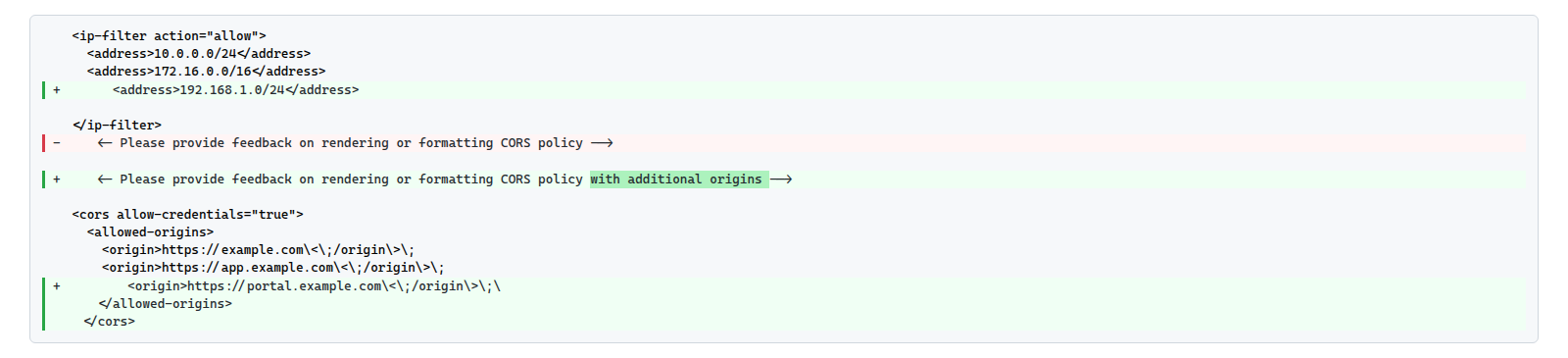
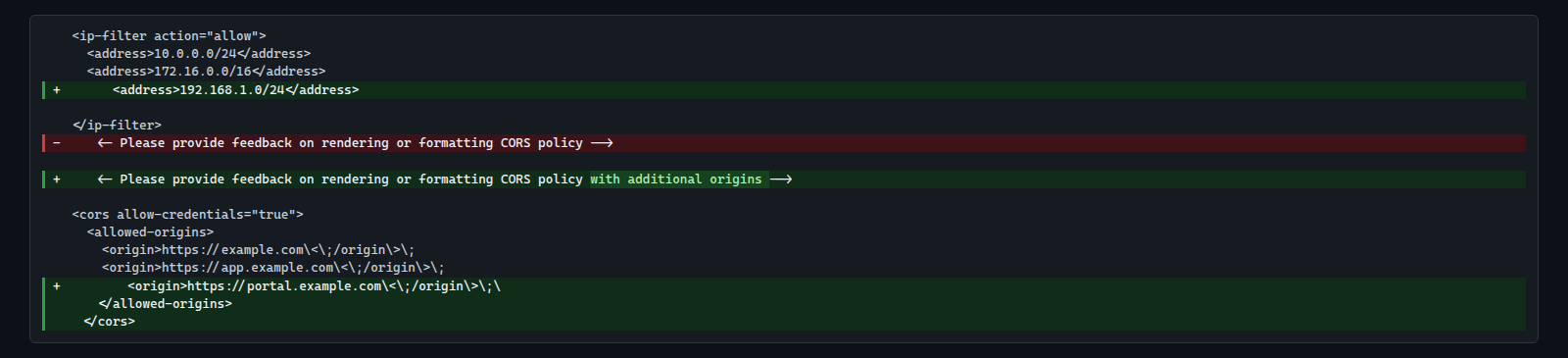
Added text appears in green with bright highlighting, removed text in red. This works for any multi-line value: XML policies, JSON documents, YAML config, shell scripts, and more.
Learn more about Large Value Formatting